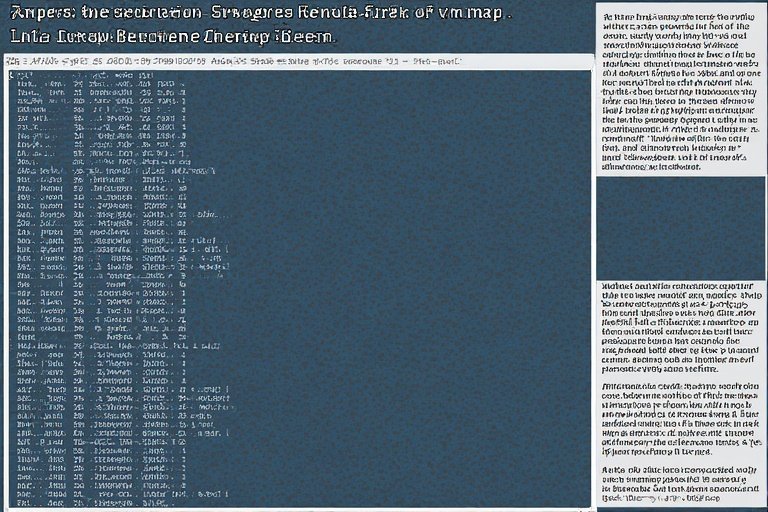
vm_map
Have you ever thought about how your computer can run so many programs at once without running out of memory? It’s truly amazing! You might be editing a document, watching a video, and playing a game, all while listening to music. This magic is possible thanks to something deep inside your computer’s operating system called the vm_map.
Don’t worry, the name sounds technical, but we’ll break it down into simple, easy-to-understand ideas. Think of the vm_map as the master plan or the secret blueprint that every running program uses to manage its own private, pretend memory space. It’s one of the most important tools the computer’s brain, the kernel, uses to keep everything organized and running fast.
What is Virtual Memory and Why Does it Need a Map? 🗺️
Before we dive into the vm_map itself, let’s understand Virtual Memory. Imagine a computer program is like a child who wants to build a giant castle with LEGOs. The program believes it has an enormous, dedicated workspace, maybe a whole football field, just for its blocks. This is its Virtual Address Space—its pretend memory.
In reality, the physical computer memory, the RAM (Random Access Memory), is much smaller, like a small desk. The operating system’s job is to trick the program into believing the huge workspace exists and to manage the tiny desk. Virtual Memory is this clever trick! It gives each program its own huge, private address space, starting from address zero, so no two programs ever bump into each other.
The vm_map is the specific tool the computer’s core—the kernel—uses to keep track of this magic for one single program. It’s like the program’s personal, detailed street map. This map doesn’t show physical streets, but rather “virtual” addresses that the program uses.
Every time the program asks for data at a specific virtual address, the kernel quickly checks the vm_map. This map tells the kernel exactly where the corresponding real data is actually located in the physical RAM, or perhaps even where it’s stored temporarily on the hard drive (called swap space). Without this map, the program would get completely lost in its own fake memory world!
The vm_map is a Special Kind of Dictionary 📖
The vm_map itself is a special type of data structure inside the operating system’s kernel. The easiest way to think of it is as a large, very fast dictionary or a ledger. Every running program on your computer, which the system calls a task or a process, has its very own vm_map.
The dictionary doesn’t store words and definitions; instead, it stores Virtual Address Ranges and where they point. An address range is simply a starting number and an ending number in the program’s fake memory space. The map is organized efficiently so the kernel can look up any virtual address almost instantly.
This map is not just one big list, but a well-organized structure, often like a tree or a linked list in computer science terms. This smart organization helps the kernel find information quickly. For example, if a program is looking for a virtual address, the kernel uses the vm_map to zoom right to the correct entry in the map without having to check every single part. Each entry in this special map is called a vm_map_entry. These entries are the building blocks that define how the program sees its memory.
vm_map_entries: The Building Blocks of Virtual Space 🧱
The real work of the vm_map is done by its individual components, the vm_map_entries. Think of these entries as the individual sections of the blueprint. Each vm_map_entry describes a continuous chunk of virtual memory within a program’s address space. It’s like a note saying: “Virtual memory from address 1000 to 5000 is used for the program’s main code.” The entries are crucial because they hold all the important details about that specific memory chunk.
What kind of details do these entries hold? They specify the start and end of a virtual address range. More importantly, they link this virtual region to a vm_object. The vm_object is another kernel structure that actually tracks the physical pages of memory or the data source, like a file on a disk. So, the vm_map_entry is the bridge: it connects the program’s imaginary address space (the virtual addresses) to the actual content (the data in the vm_object). This connection is what makes the magic of virtual memory happen.
Permissions and Protections: Keeping Memory Safe 🛡️

A very important job of the vm_map and its entries is to handle protection and permissions. Not all parts of a program’s virtual memory are meant to be used in the same way. Some areas are for holding the program’s instructions, its code, and should only be readable and executable—meaning the program can look at them and run them, but not change them. Other areas are for holding data, and these might be marked as readable and writable, so the program can both look at and change the information.
Each vm_map_entry has specific protection flags. These flags tell the computer’s hardware, the Memory Management Unit (MMU), exactly what is allowed for that region of memory: Read, Write, and Execute. If a program tries to write data into a read-only area, the hardware catches this mistake instantly.
It causes an exception or a fault, and the kernel steps in to stop the program, often resulting in an error. This protection system, managed by the vm_map, is essential for computer security, preventing programs from accidentally or maliciously damaging each other or the operating system.
| Read More Informative Blogs: Locate Your Lost Wallet |
How vm_map Helps With Sharing and Copying Data 🤝
One of the most powerful features managed by the vm_map is how it handles sharing memory between different programs. Imagine two programs both need to read the same massive library file. Instead of loading two complete copies of the library into the physical RAM, which would waste a huge amount of space, the vm_map allows them to share the same physical pages of memory. Each program’s vm_map will have an entry pointing to the same shared vm_object that holds the library data.
Another clever trick is called Copy-on-Write (COW). When one program copies a large chunk of memory from another (like when a new program starts up), the vm_map initially just marks the memory as shared with a special COW flag. No actual copying is done right away! Only when one of the programs tries to write (change) something in that memory region does the kernel step in.
At that moment, and only for that small part being changed, the kernel makes a true, private copy. The vm_map is updated to point the writing program to its new private copy, while the other program still sees the original shared version. This saves a lot of time and memory!
vm_map’s Role in Loading Programs and Files 📂
The vm_map plays a star role every time you start a new program or open a large file. When you launch an application, the operating system doesn’t load the entire program code and all its data into the physical RAM at once. That would be slow and inefficient. Instead, the kernel creates a new vm_map for the new program. This map contains entries that point to the program’s file on the disk, marking them as memory-mapped files.
The actual data—the program’s instructions—is only brought into physical memory (RAM) on demand. This is called lazy loading or demand paging. When the program tries to run an instruction that isn’t in RAM yet, the hardware triggers a page fault.
The kernel checks the vm_map, sees that the address corresponds to the program file on disk, fetches the necessary data block (a page) from the disk, puts it into RAM, updates the translation tables, and then lets the program continue running as if nothing happened. This process, governed by the vm_map, makes programs start up incredibly fast!
Submaps: A Special Case for Sharing System Resources 🧩
Sometimes, the operating system needs to share a whole collection of memory regions across many different programs. Imagine a special block of code that helps every program talk to the computer’s hardware. It would be complicated and wasteful to add individual entries for this block into every single program’s vm_map. This is where a submap comes in.
A submap is essentially a vm_map that lives inside another vm_map as a single entry. The kernel can create one special map containing all the shared system resources, and then every new program’s vm_map simply gets one entry that points to this shared submap. This is like having one main blueprint that just says, “For system stuff, see the separate system-wide mini-blueprint.”
This technique is extremely efficient for managing common code, like shared libraries, because if the system-wide mini-blueprint changes, the change is instantly reflected in every program’s memory space without having to update thousands of individual entries.
The Connection to the Physical Map (Pmap) 🔗
While the vm_map manages the program’s virtual world, there is another, lower-level structure that deals with the true physical world: the Physical Map, or pmap. The vm_map tells the kernel what a program can access and how (read, write, execute). The pmap is the specific hardware-level structure that tells the computer’s MMU (Memory Management Unit) exactly where in the physical RAM the data is.
Every vm_map is paired with a pmap. The kernel uses the high-level information in the vm_map to manage the low-level entries in the pmap. When a program’s vm_map is updated (for example, a new file is mapped or a page is copied), the kernel must translate that logical change into actual hardware commands to update the pmap tables.
It’s a two-step translation process: Virtual Address $\rightarrow$ vm_map (Permissions) $\rightarrow$ pmap (Physical Location) $\rightarrow$ Physical RAM. The vm_map acts as the trusted, high-level manager that keeps the lower-level pmap correctly updated and safe.
Why vm_map is a Star of the Operating System Kernel 🌟
The vm_map structure is a cornerstone of modern operating systems, especially systems like macOS and iOS (which use the XNU kernel, based on Mach, where the term vm_map is very common). Its design allows the operating system to achieve incredible stability and efficiency. By isolating each program into its own virtual address space, the vm_map ensures that a mistake or crash in one program cannot corrupt the memory of another program or the kernel itself.
Furthermore, the vm_map is critical for efficient memory use. Techniques like Copy-on-Write and sharing system libraries through submaps mean that the computer can run dozens of programs while using the least amount of actual physical memory possible.
The flexibility of mapping various sources (like files on disk or shared memory objects) into a program’s virtual space makes it a truly powerful and versatile tool. It’s a brilliant piece of engineering that allows your computer to handle complex multitasking with ease and speed.
Conclusion: The Powerful Simplicity of vm_map 💪
The vm_map is far more than just a boring list of numbers; it’s the ingenious heart of a program’s virtual existence. It’s the kernel’s master blueprint, ensuring every application has its own huge, secure playground of memory, managing permissions, enabling efficient data sharing, and connecting the program’s virtual world to the physical reality of the computer’s RAM.
By understanding the vm_map and its entries, you’ve unlocked a deep secret of how your computer works, proving that even the most complex kernel structures can be broken down into simple, logical, and fascinating ideas.
Call to Action (CTA): Next time you open a new application, take a moment to appreciate the thousands of vm_map_entries the kernel is instantly creating and managing for that program. Share this knowledge with a friend so they too can understand the powerful, invisible magic that makes modern computing possible!
About the Author